AI Cover Art
Generate album artwork in 8 visual styles, from a prompt or from a photo of yourself.
Every song you generate in Larka can have its own AI-generated cover art. Larka builds a detailed visual brief from your song's genre, mood, key, and lyrics, then sends it to the image AI — so each cover is specific to your song, not generic.
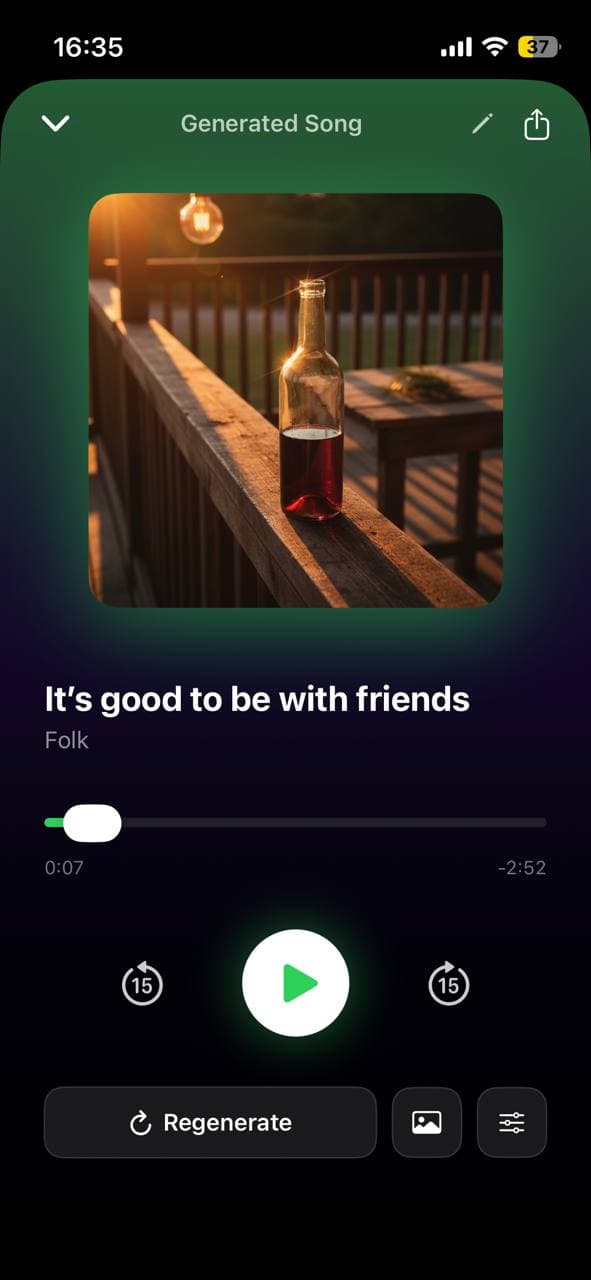
How to generate cover art
- Open any saved song, or the Hum to Song result screen.
- Tap Cover in the buttons beside the artwork. The Cover Art sheet opens.
- Choose From a prompt or From a photo at the top.
- Set a visual style and, if you want, type a Visual Direction. Then tap Generate Cover.
- From a prompt returns 3 different concepts as thumbnails. Tap one to pick it; a purple checkmark marks your choice.
- The selected cover is saved alongside your song and shows in your library, the player, and the share sheet.
There is also Use my own image, which sets a picture you already have as the cover exactly as it is. No AI, and nothing is uploaded.
3 variants per generation
Cover generation always produces 3 different takes so you can pick the one you like best instead of accepting the first result. The three use the same brief but give you visual variety. Tap Regenerate Covers to get a new set of 3.
The 8 styles
Cinematic — photorealistic, dramatic directional lighting, shallow depth of field, film quality.
Illustrated — detailed digital illustration, vibrant colors, sharp linework, editorial quality.
Abstract — bold gestural brushstrokes, dynamic shapes, contemporary fine art.
Oil Painting — impressionist brushwork, visible canvas texture, warm natural lighting, master painter style.
Neon / Cyberpunk — glowing neon signs, rain-wet streets, magenta and cyan color grading, futuristic.
Minimal — clean negative space, single focal element, Swiss graphic design aesthetic.
Vintage Vinyl — retro 1970s color palette, aged paper texture, classic record sleeve art.
Dark Academia — candlelit library atmosphere, chiaroscuro lighting, rich browns and deep greens, gothic details.
Covers from your own photo
From a photo builds the artwork around a picture you choose, so the face on the cover can be yours.
- Open the Cover Art sheet and switch to From a photo.
- Pick a picture from your library.
- Optionally describe the look you want.
- Tap Create Cover from Photo.
This runs on a slower, more precise model and takes two to three minutes, longer than a prompt cover. It returns one image rather than three.
Use your own photo, or one you have permission to use. Your photo is deleted right after the cover is made, and is never used to train anything.
Visual direction
Open the Cover Art sheet and type into Visual Direction to guide the AI toward what you want to see :
- ·"A lone figure on a rain-soaked highway at night, amber headlights dissolving into fog"
- ·"Macro shot of a crumbling autumn leaf, pale morning light through frost-covered glass"
- ·"Vast desert dunes at golden hour, a single shadow stretching across the sand"
The AI uses your description as its starting point and expands on it with the chosen style. Leave it blank and the AI builds the concept entirely from your song's musical context.
Tips
- ·The mood field has the biggest impact. "Dark and brooding" vs "bright and hopeful" creates very different visuals.
- ·Adding a visual direction produces much more specific, unique covers — even a single sentence makes a big difference.
- ·Regenerate the same song in different styles to find the one that fits best.
- ·Instrumental songs work especially well with Cinematic or Oil Painting styles.