Use Your Own Voice (Voice Cloning)
Clone your real voice once, then have the AI sing your songs in your voice across every generation surface.
Voice Cloning lets the AI sing your generated songs in your actual voice — not a generic AI vocalist. You record yourself once, complete a one-time verification, and your voice becomes a reusable option in the voice picker everywhere Larka generates music.
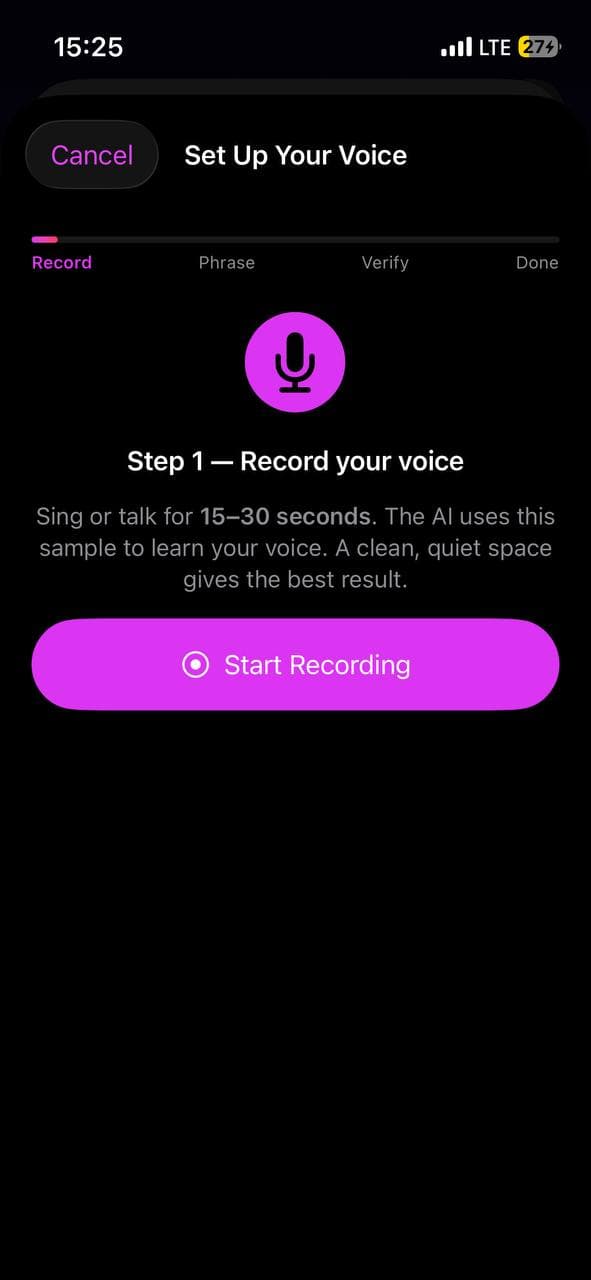
The 4-step setup
Open Larka. On the home screen, tap the Set Up Your Voice card.
- Record your voice — sing or talk for 15–30 seconds in a quiet space. The AI uses this sample to learn your voice. Singing works better than talking if you want it to sing later.
- Wait for a verification phrase — Larka asks the AI for a unique phrase (something like *"Harmonies fill the air with joyful melodies tonight"*). This usually takes 20–40 seconds.
- Name your voice + read the phrase aloud — give it a label like "My Voice" or "Stage Voice", then tap I'm Ready and record yourself reading the phrase clearly, in a similar tone to your first recording. This proves the voice belongs to you.
- Done — about 30–60 seconds later, your voice is saved. The home-screen card disappears.
Why a verification phrase?
The phrase is an anti-impersonation safeguard. It proves the voice you uploaded is yours and not a celebrity recording. The AI matches what you said in step 1 against what you read in step 3 — if they don't sound like the same person, verification fails. There's no path around it.
Where it shows up
Once your voice is created, it appears in the Voice picker alongside the existing stylistic chips, marked with a 🎤 mic icon. You can pick it on every generation surface:
• Notes → Generate Music
• Record → Hum to Song
• Recording Detail → Generate Music
• Import Audio
• Extend a track
The AI will sing the lyrics in your voice on all of those.
What it sounds like (honest expectations)
Voice cloning captures vibe and timbre more than perfect identity. It will sound recognizably *of you*, but it's not a forensic match. To get closer:
- ·Sample yourself singing, not talking — gives the AI a singing reference to work from.
- ·Match your sample style to your target songs — if you'll generate rock, don't sample over a soft ballad.
- ·Cover your full pitch range — sing both low and high notes during setup.
- ·Cleanest possible audio — quiet room, mic close, no music playing under you.
Most people end up with two or three different voices (e.g. "Talking Voice", "Singing Voice", "Falsetto") and pick the right one for each song.
Managing your voices
Settings → Your Voices lists every voice you've cloned. Each row shows a status dot:
• 🟢 Green — active and usable
• 🔴 Red — needs re-verification
• ⚪️ Gray — checking
Tap a row to open a menu with Rename and Delete. Tap Add Voice at the bottom to clone another. You can have as many voices as you like.
Re-verification
Cloned voices have a limited validity window — eventually you'll need to re-verify. When that happens, the picker shows a red dot and Larka prompts you to read a new verification phrase the next time you try to use the voice. You don't have to re-record your original voice sample — the AI already has it on file. Just read the new phrase and you're back in business.
If verification fails
If the AI says "voice didn't match the phrase":
• Read the same phrase again — sometimes background noise tripped it.
• Or tap Get a different phrase to try a fresh one — usually works on the second attempt.
Tips for a clean read:
- Quiet environment
- Read at a steady pace
- Use a similar tone to your first recording (don't whisper if you sang loudly)