AI Lyric Generator: How to Actually Write Good Lyrics With AI
AI lyric generators produce mostly generic output. Here's the workflow that gets you lyrics worth keeping — and the editing instinct that separates them from filler.
Most AI lyric generators are vending machines. You drop in a coin (a one-line prompt), pull a lever, and out falls a generic lyric stuffed with rain, broken hearts, midnight roads, and the word "soul" used three times.
The failure isn't the model. It's the workflow. Used correctly, an AI lyric generator is a co-writer that helps you draft faster, find rhymes that aren't obvious, escape clichés you didn't notice you were leaning on, and finish songs you'd otherwise abandon. Used incorrectly, it's a fast way to produce filler.
This is the workflow that produces lyrics worth keeping.
Why most AI lyrics sound the same
Train any large model on lyric data and it learns the average. The average lyric uses common imagery (rain, fire, broken glass), common emotional arcs (longing, regret, defiance), and common structural moves (verse describes problem, chorus restates problem with bigger drama). The average is "fine."
What the model doesn't do unless you push it: pick *specific* imagery (not "rain" but "the rain on the bus shelter on 7th"), choose *unusual* emotional angles ("relief at being broken up with"), or break structural conventions deliberately.
Good lyrics are above average. To get above-average lyrics from an AI generator, you have to push it past the default. That's a workflow, not a single prompt.
The five-step workflow that works
1. Define the song in one specific sentence. Not "love." Not "loneliness." Something like: "the feeling of waiting for a text from someone who you know isn't going to send one."
2. Generate a draft. Ask the AI for a full first verse and chorus, with constraints (mood, structure, voice).
3. Mark every cliché. Read the draft. Cross out every line that uses standard imagery (rain, fire, broken hearts, falling, drowning). What's left is your starting material.
4. Iterate one section at a time. For each weak line, ask the AI for three replacements with specific constraints ("no metaphors about hearts," "include one concrete object").
5. Edit by ear. Read the final lyric out loud. Lines that trip your tongue go. Lines that sound like a poem (not a song) go. What's left is the lyric.
Step 1: the one-sentence specificity test
Before you generate anything, write the song in one sentence. The sentence has to pass two tests:
Specificity: could this sentence describe one of *your* songs and not someone else's? "A song about being alone" fails. "A song about realizing you've been alone in your own apartment for three days and didn't notice" passes.
Truth: is this actually what you want to write about? AI is great at generating things that sound like what you might want. The work is figuring out what you actually want first.
Most songwriters skip this step and wonder why their lyrics feel generic. The lyrics are generic because the *prompt* was generic.
Step 2: generate a structured draft
Ask the AI for the whole song's worth of lyric in one shot, with structural tags. The exact prompt matters:
*"Write a verse + chorus + verse + chorus + bridge + chorus structure for a song about [your one-sentence theme]. Mood: [mood]. Constraints: no clichés about hearts, rain, or fire. Each line must contain one concrete image. Tag each section [Verse 1], [Chorus], etc."*
What comes back is your starting material. Don't fall in love with it. About 30% will be usable; the rest is raw material to discard or rewrite.
Step 3: mark every cliché
Print the lyric (or read it slowly). Cross out:
- ·Anything with rain, fire, broken glass, falling, drowning, ghosts, or shadows used metaphorically
- ·Lines that contain the words "soul," "heart," "fade away," "memories," "tears" without earning them
- ·Any line that could appear in *any* song in the genre
- ·Opening lines that start with "I remember" or "I used to"
What's left is the bones. The bones are usually 30-40% of the original. That's fine.
Step 4: iterate one weak line at a time
For each line you crossed out, regenerate with explicit constraints:
*"My second line is weak. Existing lines: [paste]. Suggest three replacement second lines. Each must contain one specific concrete object I could photograph. None can use abstract emotional words (heart, soul, fade, etc.)."*
Pick the strongest of the three. Move to the next weak line.
This is slow on the first lyric you write this way. By the third lyric it's fast — you develop instincts for what to ask the AI for, and you stop generating lines you'd just have to throw away.
Step 5: edit by ear (the part most writers skip)
Open Voice Memos. Read the lyric out loud, slowly, like you're singing it. Mark every line where:
- ·Your tongue catches on a word
- ·Two consecutive consonant clusters fight each other
- ·The rhythm doesn't fit a possible melody
- ·You feel embarrassed reading it (this means it's overwrought)
Lines that survive being read aloud, three times, are the lyric. Everything else is replaced or cut.
This is the step that turns a competent draft into a lyric that lives on the page *and* in the mouth.
Tools that actually help
ChatGPT or Claude are excellent for the constraint-based iteration step. The conversation memory means you can refine without re-pasting context every time.
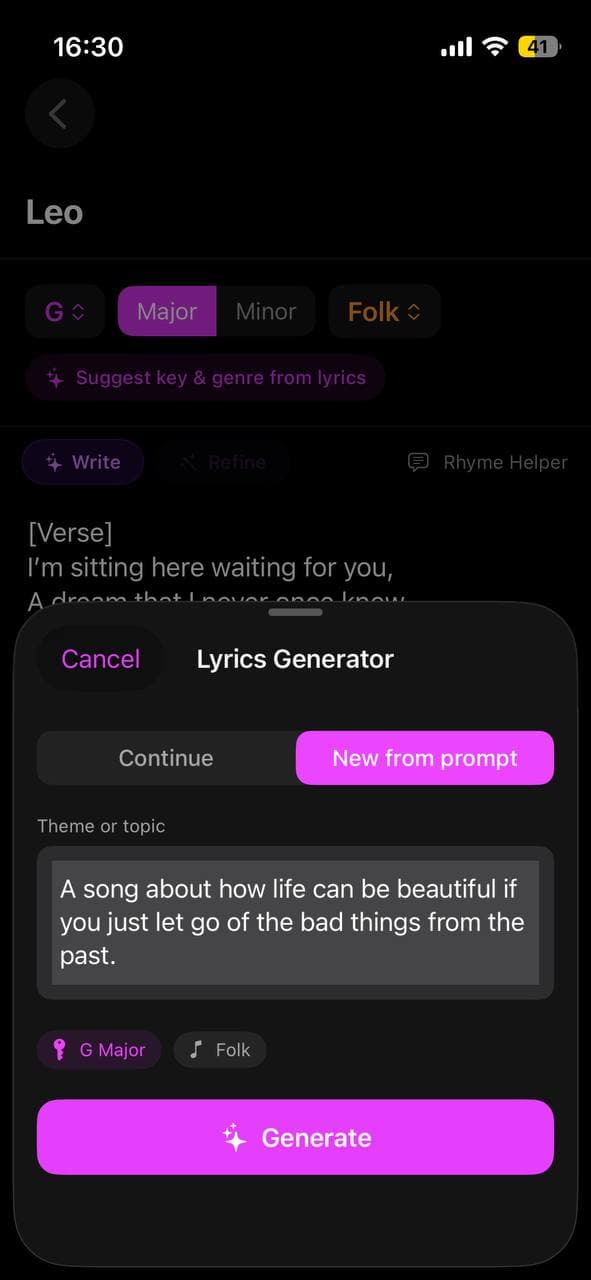
Larka's AI Lyric Writer is purpose-built for songwriting workflows — it knows about song structure, can refine with steering prompts, and pipes directly into the song-generation step (so you can hear the lyric performed in 30 seconds, which speeds up evaluation enormously).
Rhyme generators like RhymeZone are useful for finding the rhyme you didn't think of. AI tools are okay at rhymes but a dedicated rhyme tool is faster and more comprehensive.
The Notes app on your phone for capturing one-sentence themes the moment they arrive. The lyric's quality is upstream of the tools — it's downstream of how clear your idea was when you sat down.
When to throw the AI away
Some lyrics need to be written without AI. If you're writing about a real, specific moment in your life — a person, an argument, a place — the AI's averaging instinct will smooth out the edges that make the moment yours. Use AI for general-purpose songs and unblockings. Use your own memory for the songs you'll keep playing in ten years.
The difference matters. Most of the songs the world remembers are the second kind.
Be first to try Larka AI
Larka launches on iPhone and iPad soon. Join the waitlist for an early-access link the moment it's live.
Join the waitlist →