How to Release Your AI Song to Spotify and Apple Music From Your iPhone
You finished an AI song on your phone. Here is the exact path to get it live on Spotify and Apple Music — distributor choice, metadata, specs, and the 21-day pitch window.
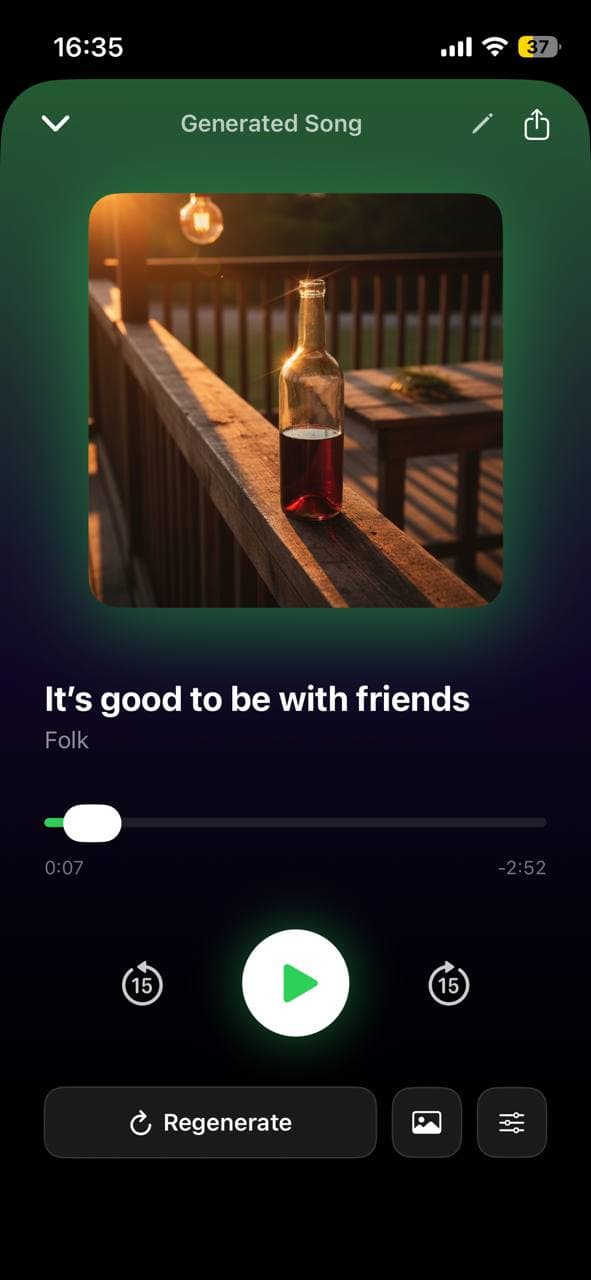
You generated a song you actually like. It has vocals, a hook, a finished mix, cover art that fits. Now what?
For a lot of musicians, this is where the loop breaks. The song lives on your phone. Maybe it gets a TikTok post. Maybe it gets sent to a group chat. But the obvious next step — putting it on the platforms where people actually listen to music — feels like it belongs to a different kind of person. Someone with a label, or a manager, or at minimum a laptop.
In 2026 none of that is true. You can take an AI song from your iPhone library to a live Spotify and Apple Music release without ever opening a laptop. Here is exactly how that works, with the specs, the gotchas, and the parts the distributors do not advertise.
What "releasing" actually means in 2026
Spotify and Apple Music do not let artists upload music directly. Both platforms ingest from distributors — services that handle the technical delivery, royalty collection, and metadata standardization. You upload to a distributor; the distributor sends the song everywhere.
The distributor is the only piece you have to choose. Everything downstream (Spotify, Apple Music, Amazon, Tidal, YouTube Music, Deezer, TikTok’s sound library, Instagram’s music sticker) is handled by them as a single submission. You do not submit to each platform individually.
The whole flow is: pick a distributor, prepare your audio + cover + metadata, submit once, wait 1–3 weeks for ingestion, get a live link on every major platform on the same day.
Picking a distributor
Four real options for an iPhone-only artist in 2026:
DistroKid — around $23/yr for unlimited uploads. The default choice for indie and bedroom artists. Strong iOS app. Fast ingestion (often 1–2 days to Spotify). You keep 100% of royalties.
Ditto Music — around $25/yr unlimited. Similar to DistroKid; slightly better artist-services upsells (playlisting, splits). Decent iOS app.
TuneCore — about $15/yr for the first single, then per-release pricing. Better if you release 1–2 songs/year, worse if you release a lot.
Amuse — has a real free tier (with slower ingestion) plus paid plans. The honest answer for "I just want to try this once without paying."
For most AI-musicians cranking out songs from a phone, DistroKid or Amuse are the right defaults. DistroKid if you plan to release more than 2–3 songs a year, Amuse if you want to test the waters first.
Getting your song export-ready on the phone
Before you open the distributor app, the song needs to leave Larka in the right shape.
Audio file. Tap Share on your finished AI track and choose Save to Files. The export is an MP3 with embedded metadata. DistroKid and most distributors accept MP3, but WAV is preferred for quality — if your distributor offers a WAV export, use it. (On Larka, WAV export is available on Pro and Studio plans.)
Loudness. AI-generated songs in 2026 come out around −14 LUFS integrated, which is exactly what Spotify normalizes to. You do not need to remaster. Skip the "make it louder" instinct — Spotify turns loud masters down anyway.
Cover art. 3000×3000 square, JPEG or PNG, under 10 MB, no text, no logos, no URLs. If you generated cover art inside Larka, the export is already at this spec. If you used an external tool, double-check the dimensions before submitting — wrong-size art is the single most common rejection reason.
File hygiene. Rename the audio file to the song title before uploading. Some distributors auto-populate the track title from the filename.
Metadata that matters (and the parts that do not)
Distributors will ask for a lot of fields. Three of them actually shape how your song performs:
Artist name. Pick the name you will use for every future release. Changing it later splits your Spotify artist page in two. If you do not have a stage name, just use your real name — it is easier to claim later.
Track title. Exactly what you want shown on every platform, capitalized the way you want. No "(prod. by AI)" tags — some platforms strip them, others reject the release. If you used a guest vocalist or co-writer, use the feature ("feat.") field instead of cramming it in the title.
Primary genre. This is what Spotify uses for editorial categorization and algorithmic seeding. Pick the most specific genre that honestly fits — "Bedroom Pop" beats "Pop"; "Lo-fi Hip-Hop" beats "Hip-Hop." A too-generic genre tag means weaker initial reach.
Things that mostly do not matter for your first release: ISRC code (the distributor generates one), publisher info (leave blank if you have no publisher), explicit-content flag (be honest — mislabeling can get tracks pulled), and language (set it correctly so the song surfaces in localized playlists).
Choosing a release date — the 21-day pitch window
This is the part most first-time releasers miss.
Spotify for Artists lets you pitch one upcoming song to its editorial team — the humans who curate playlists like New Music Friday and the genre-specific official lists. The pitch is only available for songs scheduled at least 7 days in the future (Spotify recommends 4 weeks). If your song is releasing tomorrow, you cannot pitch it.
So: when the distributor asks for a release date, set it 21–28 days from today. Use that window to claim your Spotify for Artists profile (free, instant) and submit the editorial pitch.
A few extras that help: pick a Friday (the global "release day" — streams accrue more cleanly), do not release the same day as a major artist drop in your genre, and avoid mid-December through early January (the editorial team is half-staffed and inboxes are buried).
The submission flow from your phone
Most of the work is genuinely on the phone. Concrete steps using DistroKid as the example — the flow is nearly identical at Ditto, Amuse, and TuneCore.
1. Sign up in the app. Email + password + a payment method. The first release covers the annual fee.
2. Tap Upload. Pick "Single" for one song.
3. Select audio. The file picker opens. Navigate to where you saved the export from Larka and pick it.
4. Cover art. Same picker for the 3000×3000 image.
5. Fill metadata. Artist name, song title, primary genre, language, secondary genre (optional), explicit-content flag.
6. Pick a release date. Set it 21–28 days out.
7. Stores. Leave the default (all major stores). There is no reason to opt out of any of them for a first release.
8. Splits. Skip on a first release unless you co-wrote with someone — you can add splits later.
9. Submit. The app uploads in the background. You get a confirmation email when it ships to stores.
Total time, end to end: about 12 minutes.
After submitting: the things to do in the 3-week window
Day 1: Claim Spotify for Artists. Search for your name; if your release has been delivered, you can claim the profile. Add a photo, a bio, and your social links.
Day 1–3: Submit the editorial pitch in Spotify for Artists. Pick one song. Pick its mood, instruments, and one descriptor. Write a short, specific pitch — "this is for the post-Phoebe-Bridgers ambient-folk crowd" beats "I think you will love this song."
Day 1: Do the same on Apple Music for Artists — less playlist-driven than Spotify but worth doing.
Week 2: Schedule social posts for release day. The Larka music-video export is the easiest TikTok/Reels asset.
Release day: Post everywhere. Share the Spotify link in your group chat, on TikTok, on Instagram. Streams in the first 7 days disproportionately shape the algorithm’s decision about who else to show your song to.
Honest limits and common rejections
Wrong cover art dimensions. Most common rejection. Always 3000×3000, no exceptions.
Title contains "AI" or model names. Some distributors flag this; some platforms reject it. If you must label, do it in the description, not the title.
Sample-cleared concerns. AI-generated audio is generally fine for release, but if the AI imitated a recognizable artist’s vocal style or a copyrighted melody, the release can be pulled later. The safer path is original lyrics + non-imitative vocal styles.
Royalty thresholds. Spotify pays around $0.003–$0.005 per stream. Apple Music about $0.01. You need ~250 streams to make $1 on Spotify; about 100 on Apple Music. Do the math before you expect distribution to pay for itself.
Region locks. Some distributors limit certain countries on their cheaper tiers. Read the fine print if you care about specific markets.
The deeper point
Five years ago, releasing music required gear you did not have, software you did not know, money you could not justify, and an industry middleman who probably would not return your email. The number of musicians who actually got their songs onto Spotify was a tiny fraction of the number who wrote songs.
In 2026, the whole pipeline — from melody-in-your-head to track-on-Spotify — fits on the phone in your pocket and costs roughly the price of two coffees a month. The barrier to release has collapsed to near zero.
What is left is the part that always mattered: writing a song someone wants to hear twice.
Be first to try Larka AI
Larka launches on iPhone and iPad soon. Join the waitlist for an early-access link the moment it's live.
Join the waitlist →