Chromatic Tuner
How to tune any instrument with Larka's built-in chromatic tuner.
The chromatic tuner listens through your device's microphone and detects the pitch of whatever you're playing — any instrument, any tuning.
How to use it
- Go to the Tools tab.
- Tap Tuner.
- Play a single note on your instrument.
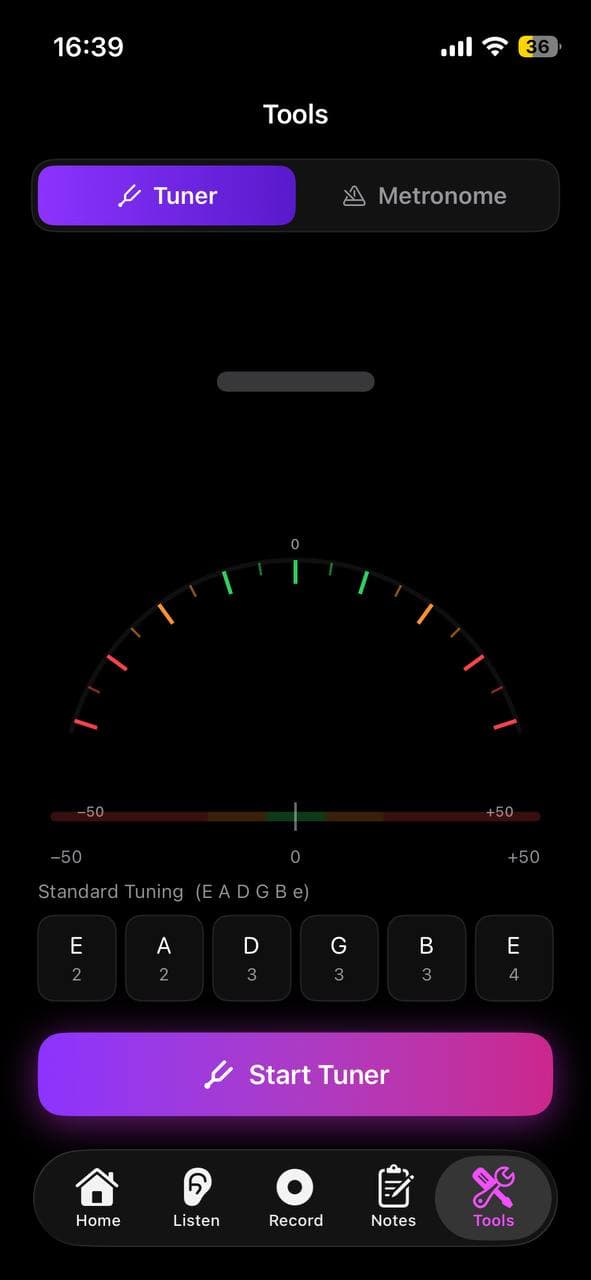
- The tuner shows the nearest note name and whether you're sharp (too high), flat (too low), or in tune.
Reading the display
The needle (or bar) shows how far off you are from perfect pitch:
- Center / green = in tune
- Left / red = flat (too low — tighten the string or raise the pitch)
- Right / red = sharp (too high — loosen the string or lower the pitch)
The note name displayed is the closest note to what you're playing.
The needle is lightly smoothed so it doesn't twitch on every tiny fluctuation — it settles quickly instead of jumping around. Because of this, the tuner only reads "in tune" when your pitch is genuinely centered; it won't briefly flash a false "perfectly tuned" as the note passes through center. Hold the note steady and let the needle come to rest in the green.
Tips
- ·Tune in a quiet room for the most accurate reading.
- ·Let each note sustain for a second before reading the needle.
- ·Works with guitar, bass, ukulele, violin, wind instruments, and voice.
- ·Standard concert pitch is A=440Hz.