Generate a music video for your song
Turn any AI-generated song into a shareable MP4 video — perfect for TikTok, Instagram, or sending to friends.
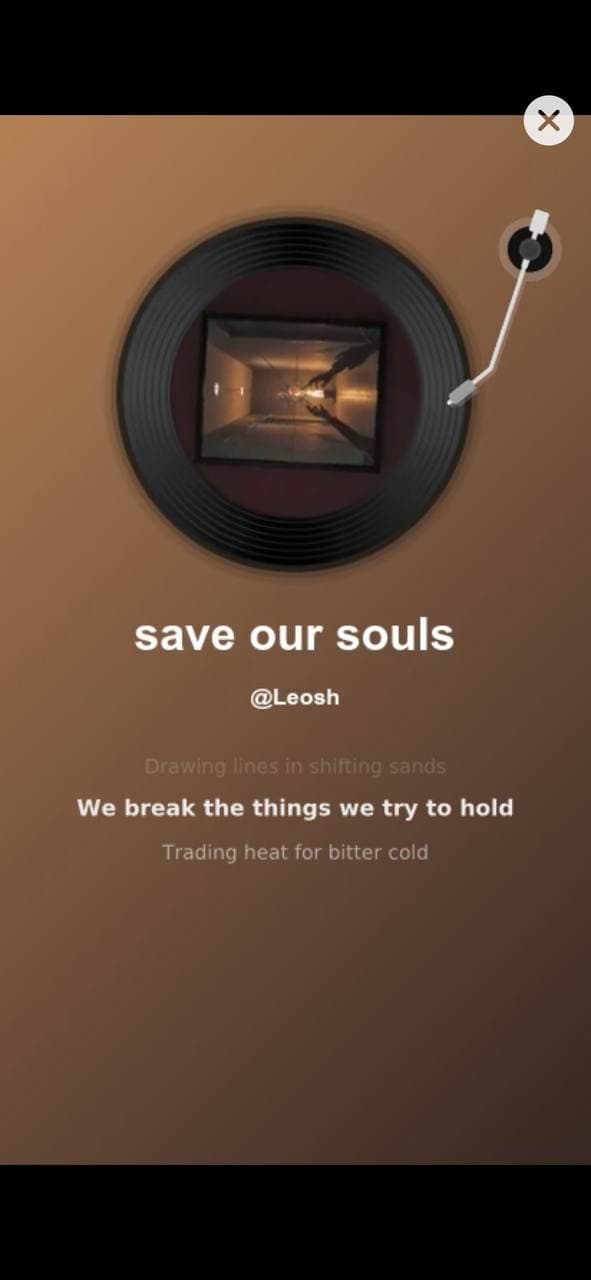
Once you've generated a song you like, Larka can render it as an MP4 music video with synchronized lyrics overlay and a built-in visualizer. The whole thing happens in the player — no extra setup, no file juggling.
How to make one
- Open any saved AI-generated song from the Home tab or your recording library.
- In the player, scroll past the cover-art section.
- Tap Generate Music Video.
- Wait 1–2 minutes while it renders.
- Play Video opens a full-screen player. Share opens the iOS share sheet — save to Photos, post to TikTok or Instagram, or send via Messages.
What's in the video
- ·The original song audio (full quality)
- ·Synchronized lyrics overlay (when the song has lyrics)
- ·A visual scene that updates with the music
- ·The song title at the top
- ·The artist name you set in the rename sheet (shown as @handle)
One video per song
Each song can have one music video. Once it's rendered, the video is locked to that track — there's no way to re-render with different settings or different overlay text. If you don't like the result, you'd need to generate a new song.
This is a limit of the underlying video service, not a Larka choice.
Title is locked at song-generation time
The title shown in the video comes from whatever was set when the song was originally generated, not from the player's rename sheet. Renaming a song in Larka updates the iOS UI and the MP3's ID3 tags — but the video service stores its own copy of the title at song-creation time and can't be updated later.
Practical tip: if you care about the exact title shown in the video, set the song's title before generating it (in the Notes tab's title field, or by renaming a recording before tapping Generate Music). The artist name, on the other hand, is sent at video-generation time, so editing it in the rename sheet before tapping Generate Music Video will pick up the change.
Which songs can have a video
Songs generated after the music video feature shipped. Older songs in your library (from before the update) may be missing the internal IDs needed to render a video — those won't show the Generate Music Video button.
If you don't see the button on a particular song, the easiest path is to generate the song again. New songs all get the button.
If something goes wrong
Phone locked / app killed during generation — On rare occasions, if your phone locks or you switch apps while the video is rendering, the result can get stranded server-side. Larka tries to recover it on retry; if the recovery window has expired (~30 minutes), the only option is to generate a new song.
Plan tier — Music video generation may be limited to higher Larka plans depending on your subscription. The button is hidden if your plan doesn't include it.