Turn Your Home Demo Into a Professional Production
Got a rough sketch — guitar and vocal on your phone, or a beginner project in GarageBand or a DAW? Here's how to turn it into a finished, produced track with AI, without losing what made it yours.
Every songwriter has a folder of unfinished sketches. For some it's Voice Memos: you and a guitar, a piano, a ukulele — whatever you play — and a melody, captured in one take at the kitchen table. For others it's a project file in GarageBand or a DAW — a beat you looped, a couple of MIDI chords, a vocal idea you hummed over the top, the beginnings of something that never got finished.
Different tools, same wall. The performance or the idea is real, but it has sat there for months, because the distance between "a rough sketch" and "a song that sounds finished" used to be enormous — a studio, an engineer, session players, mixing chops you hadn't developed, money you didn't have.
That distance has collapsed. In 2026 you can feed that exact sketch into AI and get back a fully produced track — real drums, bass, keys, a proper mix — built around your idea, in about 90 seconds. Not a different song. *Your* song, finished. Whether it started as a phone recording of you on an instrument, a vocal memo, or a half-built GarageBand project, the workflow is the same.
This is a guide to doing that well: how Cover a Song turns a sketch into a production, how to prep a demo (recorded on your phone *or* exported from a DAW) so it survives the process, and where the limits are.
Why home demos stay demos
The melody is the easy part — it shows up on its own. What stops a sketch from becoming a song is everything after: arranging it, finding the right drums, adding bass that locks to the kick, layering keys or pads, recording it cleanly, balancing the mix so the vocal sits on top.
Each of those is a skill, a tool, and an hour of an evening. For most songwriters, the demo is where the song stops — not because the idea was weak, but because the path to "produced" was too long and too technical. A guitar-and-vocal recording can be a beautiful, complete musical idea and still sound like a memo, because production is a separate craft from songwriting.
What AI changes is that the production craft is now something you can delegate. You keep doing the part you're good at — writing and performing. The arrangement, the instruments, the mix get handled.
What "Cover a Song" actually does to a demo
Larka's Cover a Song feature takes an audio file in and returns produced audio out. When you feed it a demo, it does three things:
1. Extracts the musical skeleton. It listens to your recording and pulls out the melody, the chord progression, the tempo, and the structure (where verses and choruses fall).
2. Re-performs it in a chosen style. You pick a target — "modern indie pop," "warm acoustic-plus-strings," "lo-fi bedroom production" — and the model builds a full arrangement around your skeleton: drums, bass, harmonic instruments, and a vocal performance.
3. Mixes it. The output comes back balanced and release-loud, not a pile of raw stems.
The key thing to understand: it's *style transfer*, not *generation from scratch*. The song that comes back is recognizably yours — same melody, same chords, same shape — wearing professional production instead of a single guitar.
The workflow: sketch to production in one pass
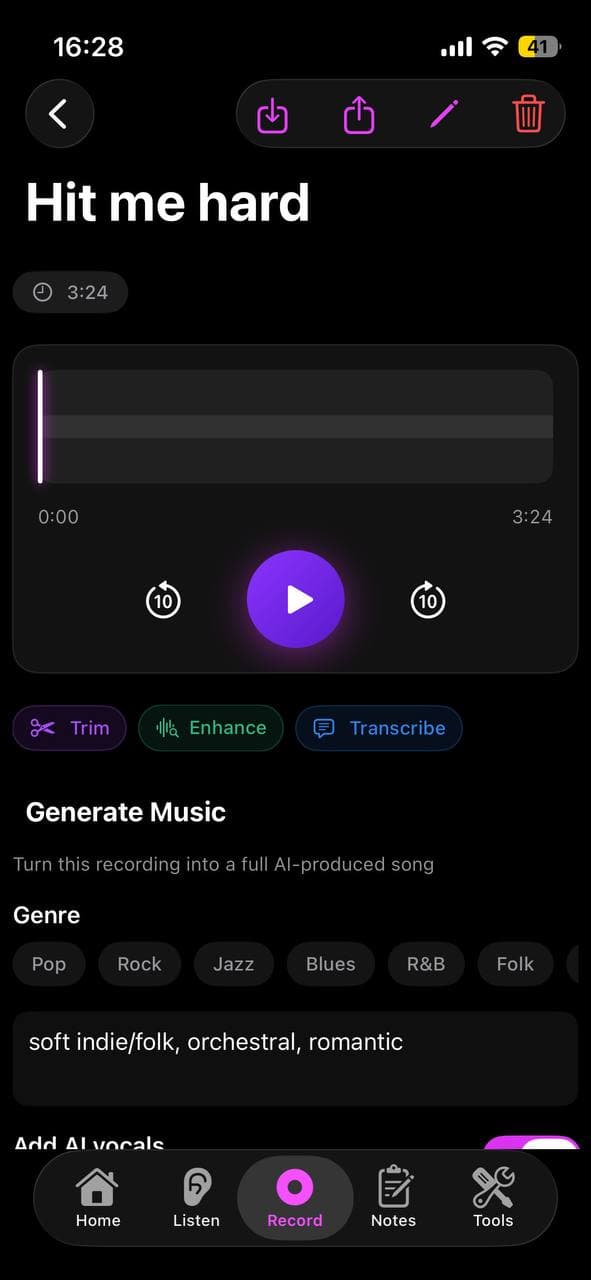
1. Record or pick your demo. Use a recording you already have, or capture a fresh one in Larka's Record tab. Guitar + vocal in one take is perfect.
2. Tap Cover a Song. Upload the file (MP3, M4A, WAV) or select a saved recording.
3. Choose the target production. Genre + mood. Be specific — "modern indie folk with light electronic textures, female-leaning vocal" beats "pop."
4. Generate. 60–90 seconds. The model arranges and produces around your performance.
5. Compare back to back. Play your raw demo, then the production. The melody and chords should be unmistakably the same. The instruments and polish should be a different world.
6. Iterate if needed. Wrong vibe? Change only the genre and regenerate. Right vibe, wrong energy? Change only the mood. One variable at a time so you learn what each control does.
Prepping a demo that produces well — recorded or exported
The cleaner the skeleton the model can hear, the better the production. A few habits make a big difference — and none of them require gear:
Play in a quiet room. Background noise muddies the chord and melody detection. A closet full of clothes is a genuinely good vocal space.
Keep steady time. You don't need a metronome-perfect take, but a demo that drifts wildly in tempo gives the model an ambiguous grid to build drums on. Tapping your foot — or recording to the metronome in Larka — is enough.
Make the harmony audible. Whatever you're playing — guitar, piano, ukulele, keys — let the chords ring clearly. If the instrument is buried under the vocal, the harmonic detection suffers.
Commit to the melody. Sing or play the lead line like you mean it. A confident line extracts cleanly; a tentative mumble produces a vague result.
One clear section beats a rambling take. A solid verse-and-chorus gives the model more to work with than a meandering four-minute improvisation.
If your sketch lives in GarageBand or a DAW
Beginners often start in GarageBand, BandLab, or a DAW rather than with a live instrument — a looped drum pattern, a few MIDI chords, a scratch vocal. Cover a Song works just as well with these, with one extra step: it takes an audio file, not a project file. So bounce your sketch down first.
Export a rough mix to audio. In GarageBand: Share → Export Song to Disk → MP3 or WAV. In any DAW: bounce/export the master to a stereo audio file. You don't need to mix it well — you just need the parts audible.
Keep the sketch readable. The model reads melody, chords, and structure from the bounce. A two- or three-part sketch (chords + a melody line, maybe a simple beat) extracts cleanly. A 12-track wall of competing loops gives it a muddy skeleton.
MIDI-only mockups work too. If your sketch is all MIDI (soft-synth chords + a melody), bounce it to audio and feed it in — the AI re-performs those parts with real-sounding instruments and adds what's missing.
Then upload like any other demo. Tap Cover a Song, pick the bounced file, choose your target style, generate. From a rough GarageBand idea to a produced track in about two minutes — no mixing degree required.
What survives the production — and what gets reinvented
Survives: your melody, your chord progression, the song's structure, and the lyric content. The bones of the song are intact.
Gets reinvented: the instruments, the arrangement density, the groove, the mix, and — this is the big one — the *vocal performance*. By default the AI re-sings your melody in a produced voice. Your actual vocal take is the reference, not the final vocal.
Sometimes lost: the specific intimacy of the original — a cracked note that was perfect, the breath before the chorus, the particular way your instrument rang. Production is addition, but it's also smoothing.
That last point matters. If your demo's *charm is its rawness*, a full production can sand it off. Which is exactly why the next section exists.
Want it produced but still in YOUR voice?
The default Cover output re-sings your melody with an AI vocal. If the whole point is to hear *your* voice on a real production, there's a better path: generate the production as an instrumental, then sing over it yourself.
Workflow: produce the demo with Cover (or generate an instrumental version), then use Larka's stem tools to isolate the instrumental, and record your own vocal on top in the app. You get professional backing — drums, bass, keys, mix — under your actual performance. That's the sweet spot for singer-songwriters who care about their voice being the real thing.
The AI does the band. You do the singing. For a lot of artists that division produces the most honest-sounding result.
Pick the target production carefully
The genre you choose is the single biggest lever. Some transitions from an acoustic instrument-and-vocal demo land especially well:
Acoustic demo → indie pop with electronic textures. Adds scale and modernity while keeping the melody front and center.
Acoustic demo → warm singer-songwriter with strings and light percussion. The "finish it without changing its soul" option — closest to a real studio production of the same song.
Acoustic demo → lo-fi / bedroom pop. Keeps intimacy, adds just enough production to feel intentional rather than unfinished.
Folk sketch → cinematic / orchestral. Reveals the emotional architecture of a quiet song.
Harder transitions: anything requiring aggressive vocals (the models still struggle with screams/growls), and very dense electronic dance styles, where a sparse acoustic skeleton doesn't give the model enough rhythmic information.
Honest limits
It won't read your mind. If you imagined a specific drum pattern or a particular instrument tone, the AI may pick something else. You steer with genre/mood, not with surgical control over each instrument.
Complex arrangements confuse it. A single instrument + voice produces cleanly. A demo that already has three layered parts, heavy reverb, or competing instruments gives the model a muddier skeleton to read.
The first result isn't always the keeper. Three to five generations is normal. Treat it like takes, not a one-shot.
Rights: producing *your own* demo is completely yours to release. On Larka's paid tiers you get full commercial-release rights to the output.
From produced track to released song
Once you have a production you love, you're a few taps from a real release. Export the finished MP3, generate cover art from the song's mood, and send it to a distributor (DistroKid, Amuse, Ditto) to land on Spotify and Apple Music.
The whole chain — kitchen-table sketch → professional production → cover art → live on streaming — now fits on the phone (or laptop) that captured the demo, in an afternoon. Five years ago that was a studio budget and six months of favors.
The deeper point
Every songwriter has a graveyard of demos: real songs, honestly performed, that died in a Voice Memos folder because finishing them required a craft and a budget the writer didn't have.
The production gap was never about the quality of the songs. It was about access. AI doesn't write the song for you — you still have to sit down with the instrument, or the DAW, and mean it. What it removes is the wall between "I made something real" and "it sounds finished."
Go open that folder. The best song in it is probably one you stopped working on because you didn't know how to produce it. Now you don't have to.
Be first to try Larka AI
Larka launches on iPhone and iPad soon. Join the waitlist for an early-access link the moment it's live.
Join the waitlist →